


Video Editor, Maker -VideoCook
4.813.77K Reviews
App Specs
- Version
- 3.015.10
- Updated On
- License
- Free
- Downloads
- 100,000,000+
- Developer
- InShot Video Editor
- Categories
- Video Players & Editors
- Platform
- Android, iOS
Screenshots
 Analysis by AppCompare
Choosing a mobile video editor is less about finding the longest feature list and more about matching the editing style to the videos you actually make. I look for three things: whether I can shape a clip quickly, whether the controls stay manageable on a small screen, and whether the app lets me finish without turning a casual project into a technical chore. Video Editor & Video Maker is aimed at that practical middle ground: a phone-first editing app for people who want to assemble, polish, and share videos without moving to a desktop editor.
Start with the kind of video you make
If most of your projects are short clips for friends, social posts, travel memories, or a simple montage, convenience matters more than a deep professional timeline. In that situation, trimming, combining shots, adjusting speed, adding text, and choosing music cover many everyday needs. This app brings those familiar jobs together, so I can make a quick edit in one place rather than passing a clip through several separate tools.
The decision changes if you regularly work on long videos, need precise control over many layers, or have a detailed workflow built around advanced color and audio adjustments. A mobile editor can be handy for finishing a short piece, but a larger-screen editor is usually a better fit when accuracy and project complexity are the priority. I would choose based on the work I need to do, not on the assumption that one app should replace every editing setup.
What makes this one useful on a phone
The app comes from InShot Video Editor and sits in the video players and editing space. Its focus is straightforward: make everyday video assembly approachable, with creative options available when a plain cut feels too bare. The current version is 2.6.0.1, and it is free to install, with optional in-app purchases ranging from $0.49 to $159.99 per item. That broad purchase range is worth keeping in mind: I would explore the free experience first and only consider paying if a particular option becomes part of my regular workflow.
A useful way to work is to settle the structure before spending time on decoration. I would first put the clips in the order that tells the story, trim away dead space, and check the pacing. Only after that would I add a filter, text, stickers, or music. This order matters on a small screen: if I decorate every shot before deciding which shots belong, I can waste time polishing footage that I later remove.
The app’s AI-focused tools, including face mosaic, can be useful when a video contains someone who should not be identifiable. I would review the result carefully rather than assume an automated effect has covered every frame: a person may move, turn, or briefly cross the edge of a shot. For a clip that will be shared publicly, checking the whole preview is a sensible final step, especially when privacy is the reason for using the effect.
Getting Started with Video Editor & Video Maker
First things first, downloading the app was a breeze. It's free on both the Google Play Store and the Apple App Store, which is always a plus in my book. Once I had it on my phone, the setup was pretty straightforward. The user interface is super intuitive, even for someone who's never edited a video in their life. You know that feeling when you open an app and instantly know where everything is? Yeah, it was like that.
Worth Reading Before You Choose

Switching to Android Auto Means Rethinking Your Driving Routine

Google Calendar Makes a Crowded Week Easier to Manage

Baby Panda World Brings Quick Play to Modern Phones, but Its Game Library Feels Busy

ESPN’s Live Game View Makes Following Close Games Easier

QuizzLand Review: A Good Fit for Short Trivia Breaks, Not Every Player

Basketball Stars: Multiplayer Is Fast, but Can It Recover When Matches Go Wrong?
Features that Stand Out
What really caught my attention were the robust features packed into this little app. Let me break it down for you:
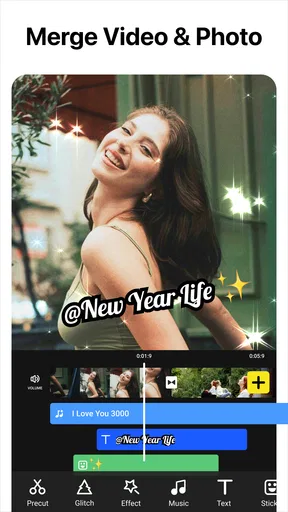
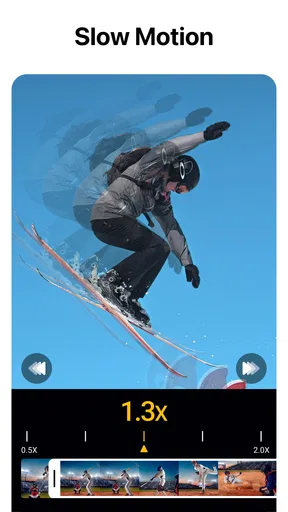
- Easy Editing Tools: The app offers a range of editing tools that are easy to use. Trimming, cutting, and merging videos is as simple as pie. Plus, you can adjust the speed of your clips with just a few taps.
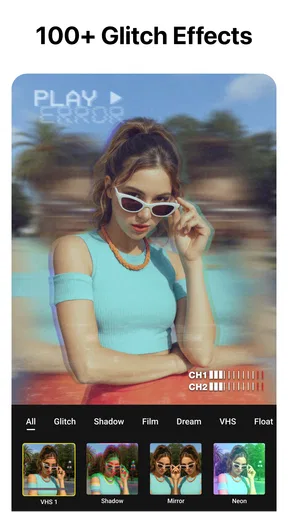
- Filters and Effects Galore: If you're into making your videos pop, you'll love the variety of filters and effects available. From vintage vibes to modern aesthetics, there's something for everyone.
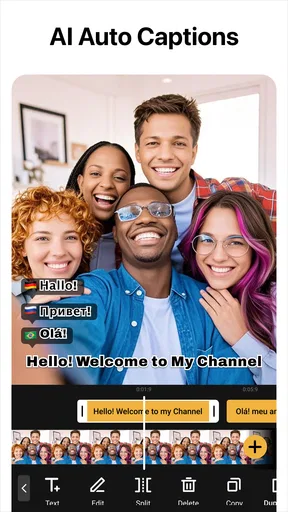
- Text and Stickers: Adding text to your videos is a piece of cake, and the app has a fun selection of stickers to give your clips some personality.
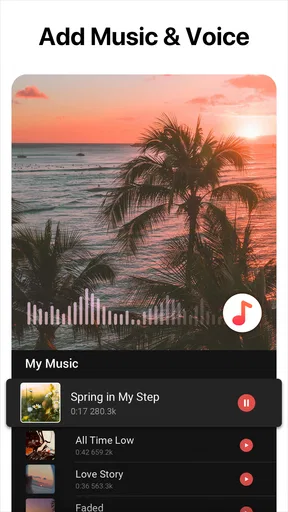
- Music and Sound: What's a great video without the right soundtrack? The app lets you add music from its library or use tracks from your own collection.
Performance and Usability
One thing I noticed right away is how smoothly the app runs. I've tried my fair share of video editing apps that lag or crash, but Video Editor & Video Maker held up like a champ. Even when working with multiple clips and effects, it never skipped a beat.
The app's usability is a win too. You don't need to be a tech wizard to figure things out. The drag-and-drop functionality makes it easy to rearrange clips, and the preview feature lets you see your edits in real-time. It’s like having a mini editing studio in your pocket.
A practical workflow for a short clip
For a realistic example, imagine I have a handful of phone videos from a weekend walk and want to make a short recap. I would pick the clearest moments first, arrange them in a simple beginning-to-end sequence, and trim the pauses where the camera was being raised or lowered. If one moment feels rushed, a speed adjustment can change its energy; if the whole sequence already moves well, I would leave it alone rather than add effects just because they are available.
Then I would add a short caption only where it helps explain the scene, and choose music after checking that it does not compete with any useful spoken sound. A filter can help shots from different moments feel more consistent, but applying it everywhere without checking each clip may make a bright outdoor shot look unnatural. This kind of restrained pass is where a phone editor earns its place: the goal is a watchable memory, not an edit that advertises how many tools I used.
Before sharing, I would watch the video from beginning to end and check the first and last seconds in particular. A clip can feel fine while editing individual sections but still start abruptly or end mid-action. I would also confirm that text remains readable against the image and that the soundtrack does not drown out voices. These checks take little effort and often improve the result more than adding another effect.
Sharing Your Masterpiece
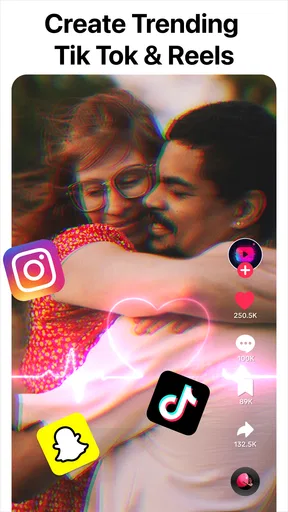
Once you've crafted your video masterpiece, sharing it is a cinch. The app supports a variety of output resolutions, so whether you’re posting on Instagram, TikTok, or YouTube, your video will look crisp and professional. Plus, you can share directly to social media platforms from within the app, saving you time and effort.
I also appreciate the option to save videos to my device in high-definition. It’s perfect for those times when you want to keep a copy for personal use or future editing.
Where other editing approaches make more sense
Compared with a basic trimming tool, this app is more useful when I want a finished piece with several clips, a soundtrack, text, and visual touches in one pass. A basic tool may still be the better choice when I only need to shorten a video and do not want to spend time choosing effects or arranging a montage. Keeping the task small can be the fastest route to a good result.
At the other end, desktop software and more advanced mobile editors are better suited to projects that require detailed control over multiple elements or repeated revisions. Their extra depth can be valuable, but it also asks more of the editor. I would not move a simple birthday recap into a complicated workflow unless I had a clear reason. The trade-off here is convenience over the fine-grained control that specialist tools are designed to provide.
There is also a practical difference between editing for a quick social post and preparing a video that must look consistent across a larger project. Filters and effects can help a short clip feel distinctive, but a strong effect may become tiring if it appears on every shot. I prefer to use one or two visual choices deliberately, then let the footage carry the rest. That keeps a personal video from feeling like a preset demonstration.
Cost, device fit, and the point of switching
The app is rated for Everyone and has an average rating of 4.8 from around 1.2 million ratings, with about 14,000 written reviews and over 100 million installs. Those figures suggest that it is a widely used option, but they do not tell me whether its workflow suits a particular person. I would treat them as context, then try a small project before making it my default editor.
It was released on February 22, 2019, and the current version is 2.6.0.1. The minimum supported operating system is Android 8.0. If I am deciding whether to switch from another editor, I would first recreate one familiar project in both apps: the same short sequence, text, and music. That comparison reveals more than browsing feature menus, because it shows whether the controls fit the way I actually edit.
Switching also has a small learning cost even when an interface feels friendly. I would avoid moving an important project in the middle of a deadline; instead, I would start with a disposable clip and learn where the editing and export choices sit. Since optional purchases span a wide range, I would pay attention to which specific feature I need rather than treating a purchase as a general requirement for making a decent video.
One question people often have is whether this is only for social-media creators. I do not think so: it can also suit family clips, event recaps, and personal travel videos, provided the project is manageable on a phone. Another practical question is whether a beginner can use it. The approachable controls make it a reasonable place to start, though a little patience with clip order, timing, and sound still makes a noticeable difference.
For someone deciding between this and a simpler editor, the key question is whether they want more than a basic cut. If the answer is yes, the mix of trimming, speed changes, visual effects, text, stickers, and music makes the added options worthwhile. If they only need to remove the beginning and end of a single recording, a simpler route may be quicker. And if they need meticulous, long-form editing, I would move to a tool built for that scale rather than force a phone-first workflow to do everything.
Final Thoughts
All in all, Video Editor & Video Maker is a solid choice for anyone looking to create eye-catching videos on the go. Whether you’re a budding influencer, a travel vlogger, or just someone who loves capturing life’s moments, this app has got you covered.
The combination of user-friendly features, powerful editing tools, and seamless performance makes it a must-have in your app arsenal. So why not give it a try? You might just find yourself diving into the world of video creation with a newfound enthusiasm.
If you’re ready to start editing, head over to your respective app store and download Video Editor & Video Maker now. Happy editing!
My recommendation is to start with a short, low-stakes video and see whether the editing flow feels natural before committing to it for every project. This is a strong fit for people who want an accessible way to turn phone footage into a polished short video, especially when they value quick assembly and creative finishing touches. I would skip it as my main tool if my work depends on detailed long-form control, or if I rarely need anything beyond trimming. For everyone in between, it is a sensible editor to try, with the best results coming from a clear sequence, restrained effects, and a careful final watch.
Pros
- User-friendly interface for beginners.
- Wide range of editing tools available.
- High-quality export options.
- Supports multiple video formats.
- Regular updates with new features.
Cons
- Some advanced features require purchase.
- Occasional crashes on older devices.
- Exporting can be slow for larger files.
- Limited music library without subscription.
- Ads can be intrusive in the free version.
FAQs for Video Editor, Maker -VideoCook
What are the key features of the Video Editor & Video Maker app?
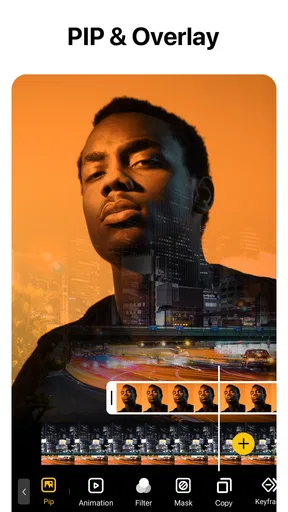
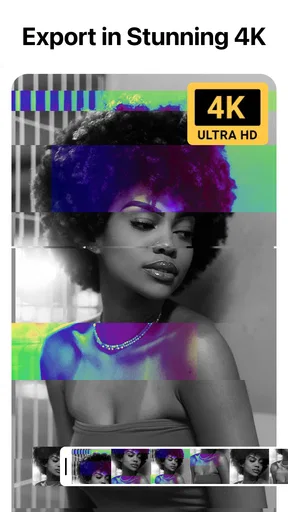
The Video Editor & Video Maker app provides a range of features including multi-layer editing, video trimming, merging, and the ability to add music, filters, and text. It also supports 4K video export and offers a variety of templates for quick edits, making it suitable for both beginners and experienced editors.
Is the app user-friendly for beginners in video editing?
Yes, the app is designed to be user-friendly, with an intuitive interface that guides beginners through the editing process. It includes tutorials and tips, allowing users to easily navigate and utilize its features without prior experience. The drag-and-drop functionality simplifies the editing process further.
Does the app support multiple video formats?
The Video Editor & Video Maker app supports a wide range of video formats, including MP4, AVI, MOV, and more. This ensures compatibility with most devices and allows users to import and export videos without worrying about format restrictions, making it versatile for various editing needs.
Are there any in-app purchases or subscriptions required?
While the app offers a free version with basic features, it also includes in-app purchases for premium features such as advanced editing tools, additional filters, and no watermark export. Users can opt for a monthly or yearly subscription to access the full suite of features, which enhances the overall editing experience.
Can I share my edited videos directly to social media?
Yes, the app allows seamless sharing of edited videos directly to popular social media platforms such as Instagram, Facebook, and YouTube. This feature is designed to help users quickly publish their creations without needing to export the video and manually upload it to each platform.


